Install
The below presumes you already have Python and a code editor installed. If not, start here.
Installation
The python package can be installed using pip
pip install wrangles --upgrade
Once installed, import the package into your code.
import wrangles
Authentication
Create a WrangleWorks account: Register
Some Wrangles use cloud based machine learning models. To use them a WrangleWorks account is required.
There are two ways to provide the credentials:
Environment Variables
The credentials can be saved as the environment variables:
WRANGLES_USERWRANGLES_PASSWORD
Method
Alternatively, the credentials can be provided within the python code using the authenticate method, prior to calling other functions.
wrangles.authenticate('<user>', '<password>')
Schema Validation
A schema for the recipes is available here: https://public.wrangle.works/schema/recipes/schema.json
Specific versions can be used by appending the version number. e.g. .../recipes/schema_0.4.json
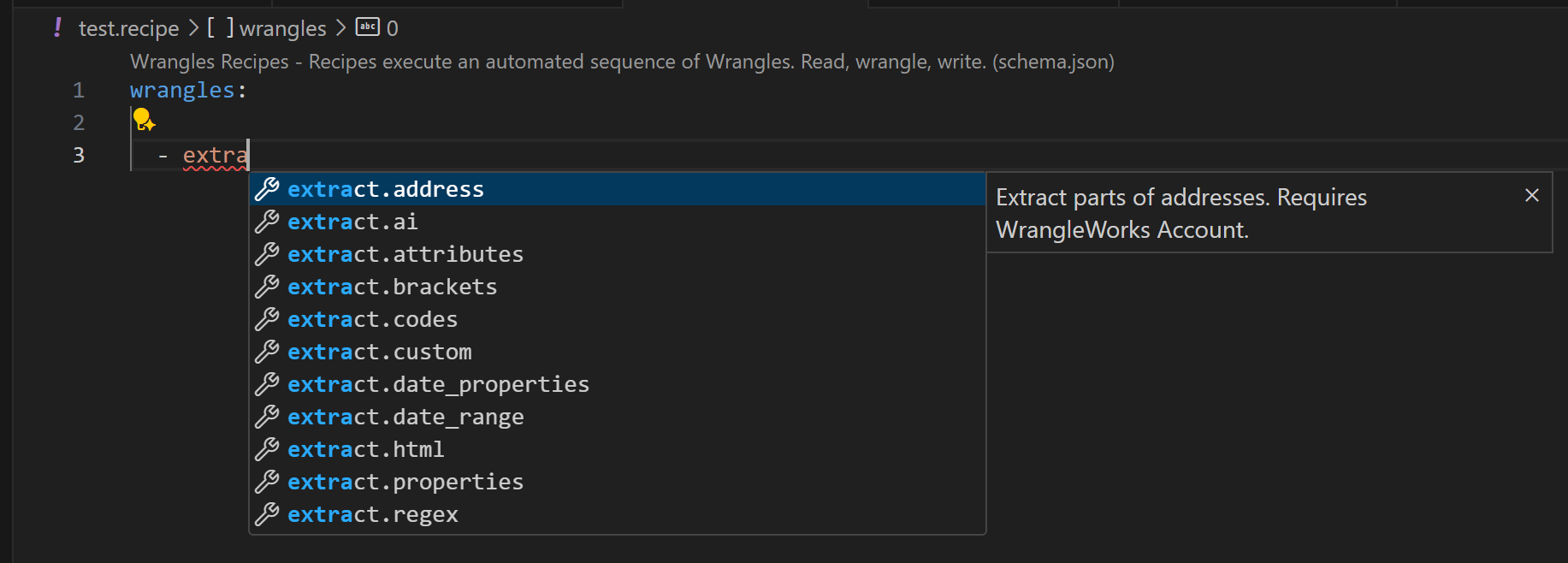
This schema can be used to provide validation and auto-complete suggestions in various code editors.
Follow these instuctions to enable in VS Code. Once added, any file named *.recipe, or .wrgl.yml will activate the schema validation.
-
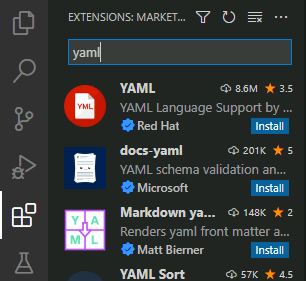
Install the YAML extension.
-
From the VS Code settings (Ctrl + ,), search yaml schema and click 'Edit in settings.json'

-
Modify or add the yaml.schemas and file.associations sections as below
"files.associations": {
   "*.recipe": "yaml"
},
"yaml.schemas": {
  "https://public.wrangle.works/schema/recipes/schema.json": ["*.recipe", "*.wrgl.yml", "*.wrgl.yaml"]
},
- Restart VS Code to ensure the new schema is loaded. If successful, validation will appear for files with the extensions .recipe, wrgl.yml, or wrgl.yaml.
Successfully installed? Learn how to Wrangle