Standardize
The Standardize Wrangle can be used to replace words or patterns with their "standardized" form. You can think of this Wrangle as a smart find-and-replace feature. Custom standardize wrangles are much more unique to your use case than stock standardize wrangles.
Custom Wrangles must be trained before they can be used. Once trained, DIY or bespoke (created by the WrangleWorks team) Wrangles will be available here.
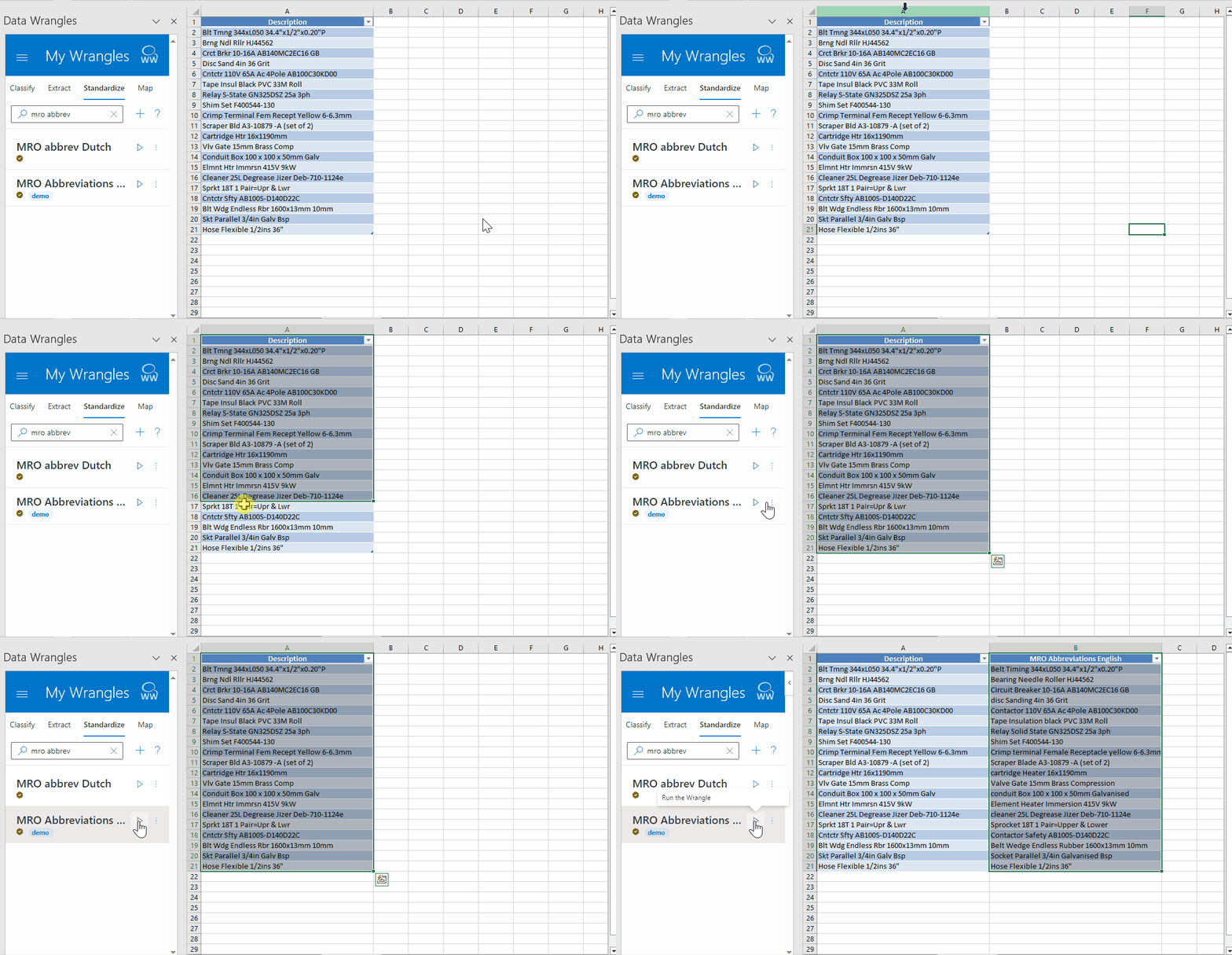
With standardize wrangles, keywords can be identified and replaced in batch.
Replace abbreviations, change alternative phrasing to be consistent, or remove unwanted information.
- Single or multiple words can be matched.
- Matches are not case sensitive.
- Matches will be made against whole words only, partial matches within words will not be affected.
Training Standardize Wrangles
To create and train a new standardize wrangle, first navigate to the standardize tab (under the My Wrangles section of the Wrangles task pane) and click on the + icon. A new sheet (named Train-Standardize) will open, this is where you'll store your training data.
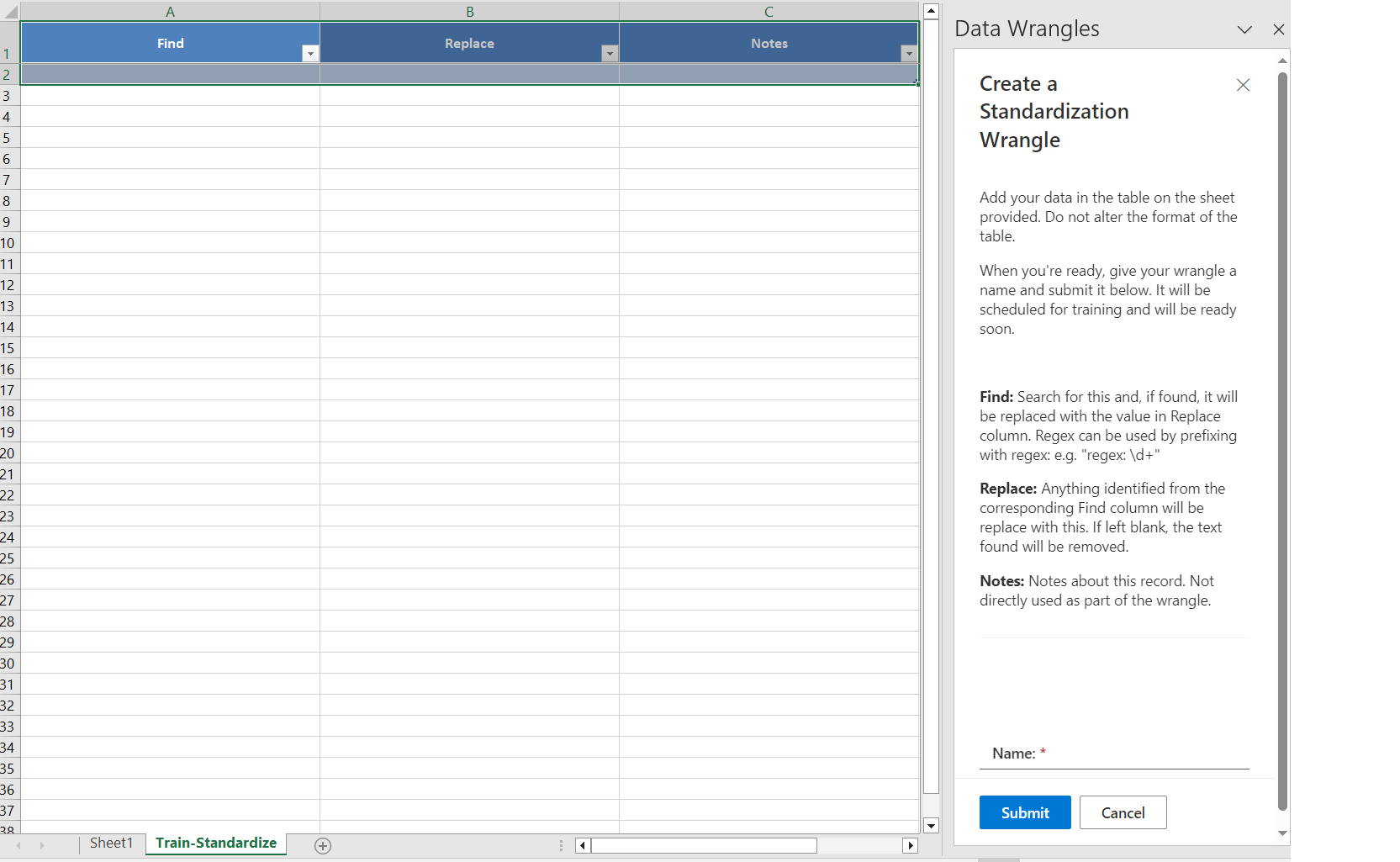
Once training data is filled in and your wrangle has been given a name, click submit and your new wrangle will be trained and listed in My Wrangles under the Standardize tab.
To retrain, or update, your wrangle hover your cursor over the three dots to the right of the play button and click edit. This will open a new sheet where you'll see all your training data.

Note: When you retrain your wrangle, the training sheet is now named after the wrangle.
Example
| Find | Replace |
|---|---|
| ave | Avenue |
| USA | United States of America |
| UK | United Kingdom |
| → |
|
Regular Expressions
For more advanced use, regular expressions (regex) can be used. To apply regex, prefix with regex:
Regex Cheat Sheet: A useful reference of regex terms. Regex Testing: A useful tool to test regex
Samples
| Find | Replace | Notes |
|---|---|---|
| regex: (\d{2})/(\d{2})/(\d{4}) | DATE | Replace dates with the word DATE |
| regex: ^[^0-9]*(\d{3})[^0-9]*(\d{3})[^0-9]*(\d{4})$ | (\1) \2-\3 | Format US phone numbers (123) 456-7890 |
| regex: (\w+)\s(\w+) | \2 \1 | Group two words and return the second group first followed by first. e.g. Sherlock Holmes -> Holmes Sherlock |
Multiple Variants
Standardizing data when variants exists can be done in two ways:
Multiple Rows
Write each variant on a separate row

Same Row
Write each variation on the same row, separated by a bar (|)
